Explore

Designing a terrazzo surface has traditionally involved limited choices, physical samples, and a great deal of imagination. While terrazzo is admired for its durability and artistic appeal, customization was often restricted to what was readily available. KalingaStone has redefined this process with Make My Terrazzo, a digital design module that allows users to create their own terrazzo surface from scratch and receive the final design directly via email.
This innovation bridges the gap between creative vision and real-world execution. It gives architects, designers, and homeowners the freedom to design terrazzo that truly reflects their project requirements, while keeping the process simple, visual, and efficient.
Why Custom Terrazzo Matters in Modern Design?
Modern architecture and interiors are driven by personal expression and contextual design. Spaces today are designed around brand identity, lifestyle preferences, and spatial storytelling. Terrazzo fits perfectly into this narrative because of its flexibility, but only when designers have control over how it looks.
Make My Terrazzo responds to this need by allowing users to design a surface rather than select one. It transforms terrazzo from a predefined material into a creative medium.
What Is Make My Terrazzo?
Make My Terrazzo is an interactive online tool developed by KalingaStone that enables users to design customized terrazzo surfaces digitally. Instead of choosing from fixed designs, users can build a terrazzo composition by selecting base colours, chip colours, chip sizes, and overall distribution.
Every selection updates the design visually in real time, helping users understand how the final surface will look before it is manufactured.
Step 1: Selecting the Terrazzo Base Colour

The design journey begins with choosing the base colour. This background tone sets the overall mood of the terrazzo surface. Users can explore subtle neutrals, warm, earthy shades, or bolder tones depending on the design intent.
A lighter base often works well for open, minimal spaces, while deeper tones suit statement floors or feature walls. Make My Terrazzo allows users to instantly visualize how the base colour impacts the surface.
Step 2: Adjusting Chip Size and Density
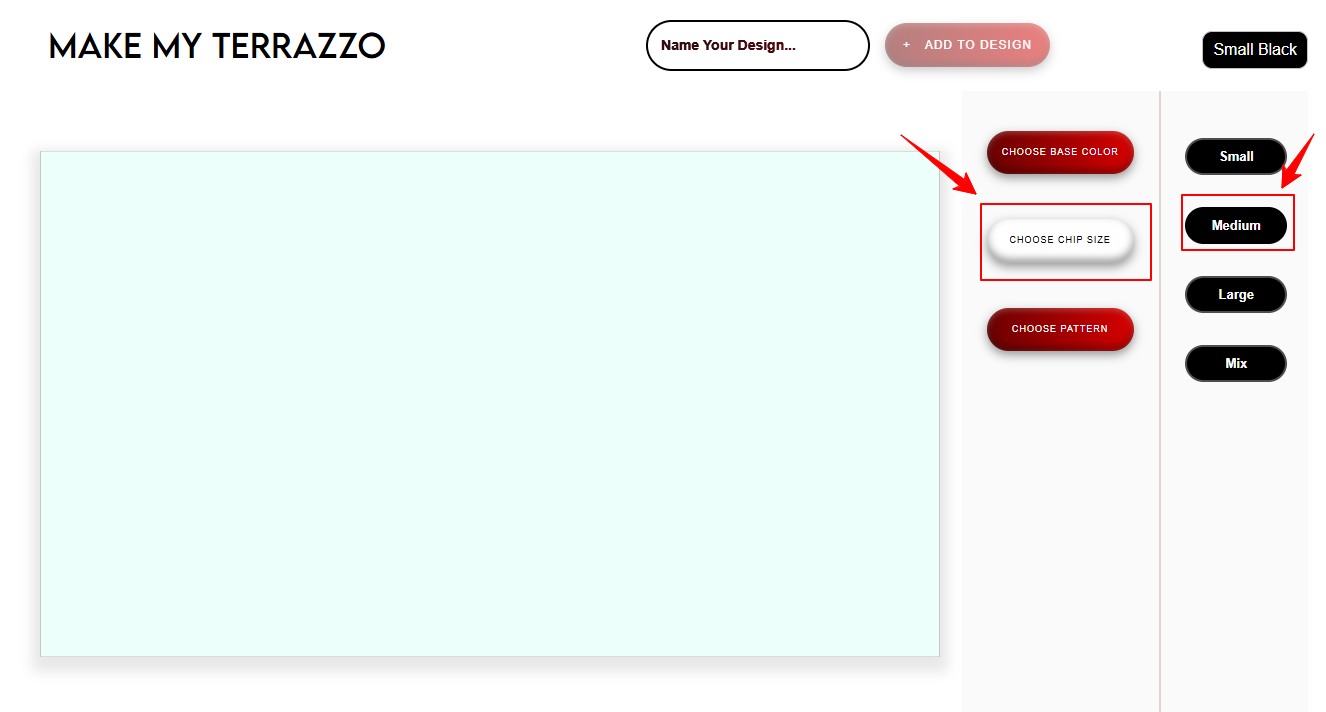
Chip size and spacing define the visual rhythm of terrazzo. Larger chips create bold, graphic patterns, while smaller chips result in a smoother, more continuous look.
Make My Terrazzo allows users to control chip size and density precisely. This step is especially useful for aligning terrazzo design with space scale, lighting conditions, and surrounding materials.
Step 3: Choosing Chip Pattern
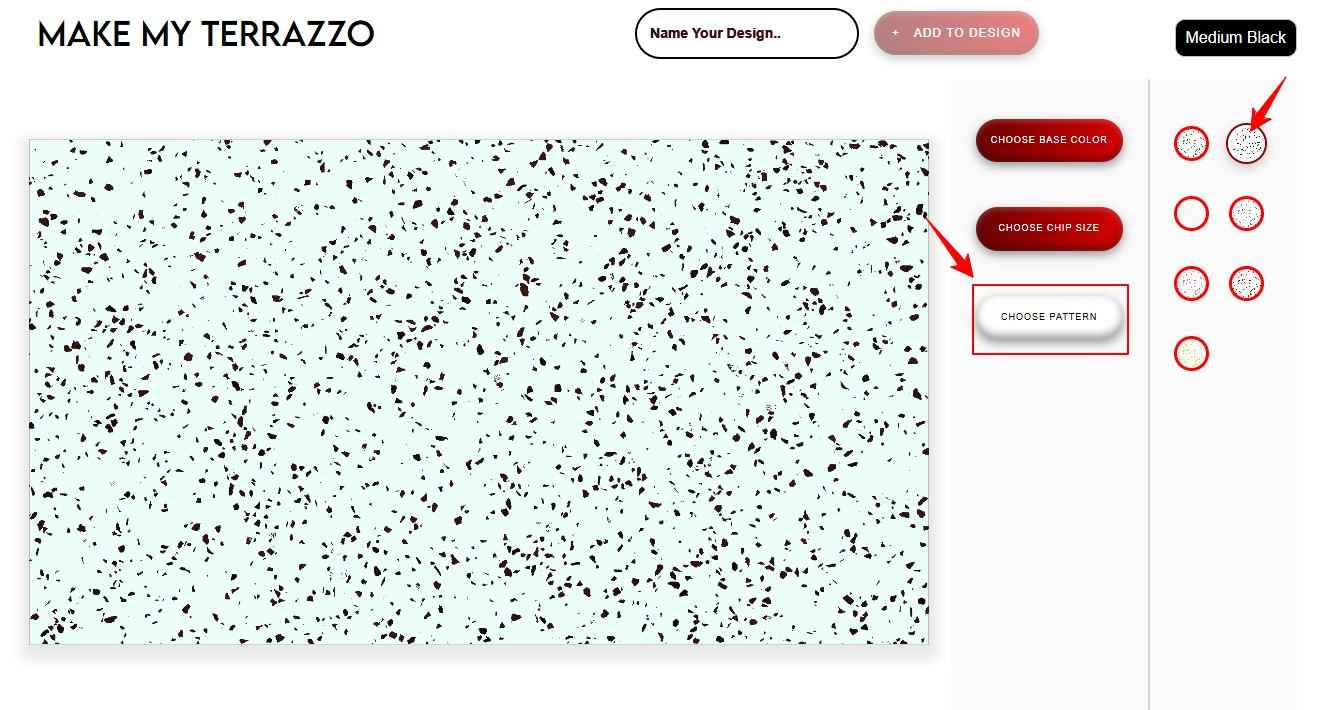
Once the base & chip size are selected, users move to chip pattern selection. Chips add character and depth to terrazzo. The module offers multiple pattern options that can be mixed or kept uniform.
Designers can experiment with monochrome combinations for refined interiors or multi-colour chips for playful, expressive spaces. The live preview helps users refine combinations without guesswork.
Step 4: Live Visualization of Your Terrazzo
As each design element is adjusted, the terrazzo surface updates instantly. This real-time visualization is one of the most powerful aspects of the tool.
It allows users to evaluate balance, contrast, and overall harmony before finalizing the design. For architects and designers, this makes client presentations clearer and more convincing.
Step 5: Naming and Saving Your Design
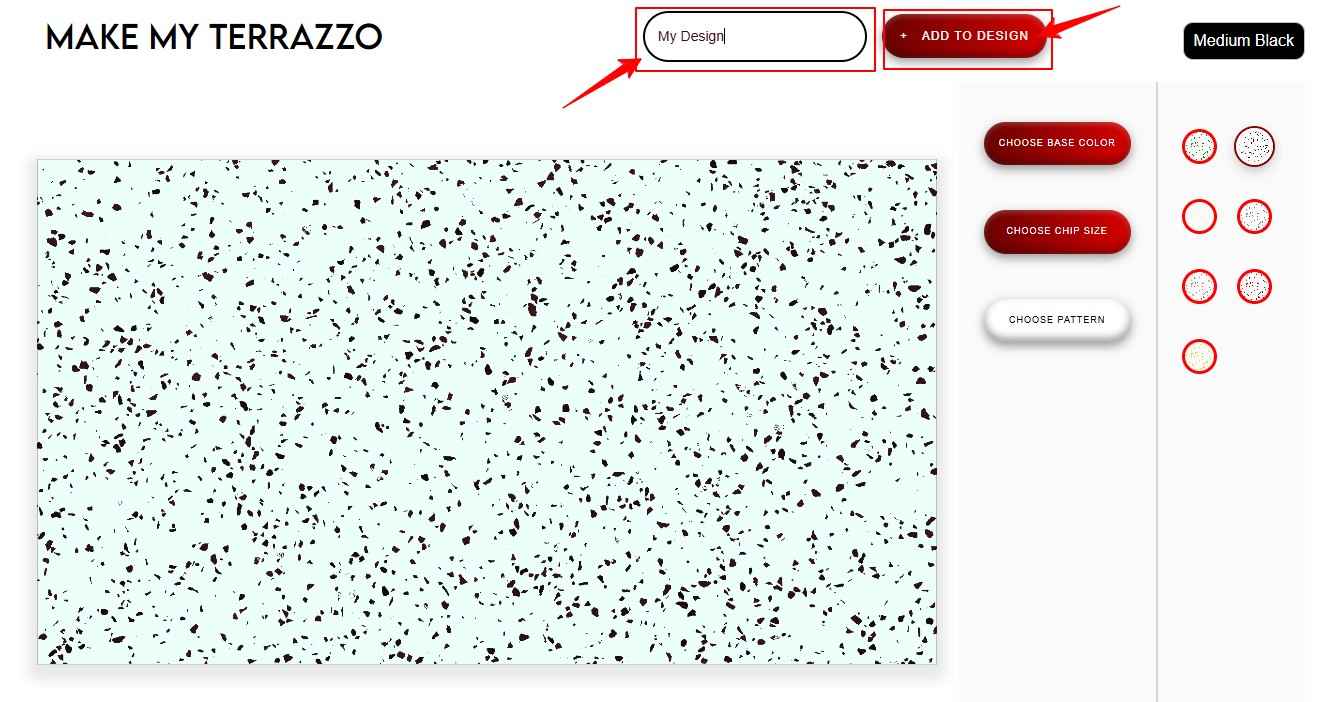
Once the terrazzo design feels right, users can name their creation. This helps identify the design easily, especially when multiple versions are being explored.
The ability to save and label designs is helpful for design discussions, approvals, and internal reviews.
Step 6: Downloading Your Design
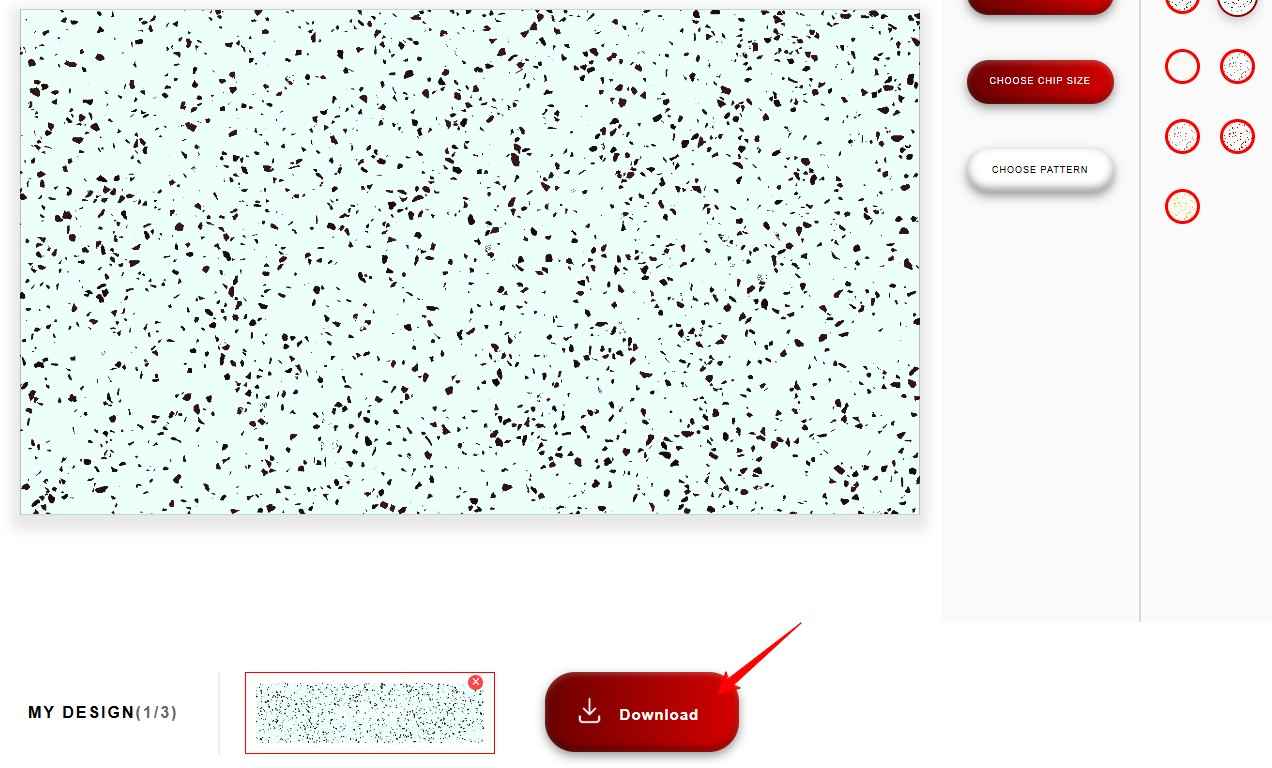
After finalizing the terrazzo design, users can click on the download option. This is where Make My Terrazzo stands out as a complete design experience rather than just a visual tool.
Instead of requiring manual screenshots or exports, the system processes the design instantly.
Once the download button is clicked, the terrazzo design is automatically sent to the submitted email address. This email delivery ensures that the design is saved, shareable, and easy to access at any time. It also simplifies collaboration between architects, clients, and project teams.
Applications Across Residential and Commercial Spaces
Custom terrazzo designed through “Make My Terrazzo” can be used across various applications, including flooring, wall cladding, countertops, reception desks, and feature areas.
Because the design is created intentionally, it aligns better with architectural themes, branding requirements, and spatial needs. This makes the tool valuable for homes, offices, retail spaces, hospitality projects, and public buildings.
Reducing Design Uncertainty and Rework
One of the biggest advantages of Make My Terrazzo is how it reduces uncertainty. By visualizing the surface clearly and receiving a documented design via email, the chances of miscommunication are significantly lower.
This leads to fewer revisions, faster approvals, and smoother project execution.
Conclusion
Make My Terrazzo transforms terrazzo design into an interactive, user-driven experience. From selecting colours and chips to receiving the final design directly in email, every step is designed to make surface creation easier and more transparent.
For architects, designers, and homeowners, this tool removes guesswork and replaces it with clarity, creativity, and confidence. Make My Terrazzo is not just about choosing a terrazzo surface. It is about designing one and owning the journey from vision to surface.
If you are looking to create a terrazzo surface that reflects your vision rather than adapt to preset options, explore Make My Terrazzo by KalingaStone. Design your own terrazzo, experience it in real time, and take the next step with confidence by turning your ideas into a beautifully crafted surface